


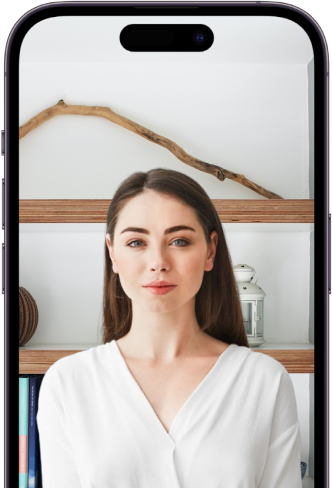




DIY NZ passport photo using your smartphone camera
3 easy steps to get your verified Digital NZ Passport Photo Online
Take 1 or multiple people’s passport
photos using your smartphone

We check for any issues with your photo, crop to correct size and fix backround


Pay for 1 or multiple photos in 1 easy step to get access to your passport photo(s)
Advantages of our DIY Passport Photo solution

Complaince with NZ Passport Photo Requirement
Avoid unnecesary delays in getting your online New Zealand Passport Application approved. Our software will ensure 100% acceptance of your photos or we will refund you

Our Ai technology automatically detecs issues with your photo. fixes background and crops to the correct dimensions required by New Zealand Passports. We advise you of any issuse found and allow you to re-take your photo, until it passes all the check, at no additional charge

We charge a fraction of what a passport photo studio charges. Save up to 80% on the cost of a single passport photo and up to 90% when taking multiple passport photos

Gone are the days of taking entire family to a photo studio to get passport photos taken. Quickly create 1 or multiple passport photo online, using your smartphone, from comfort of your home

How to take your Passport Photo
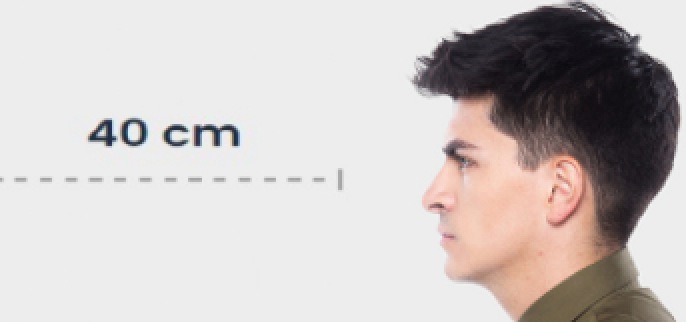
Take a Picture from a distance of about 40 cm from your face. It is best if the photo is taken by another person, but we can also cope with the ‘selfie’
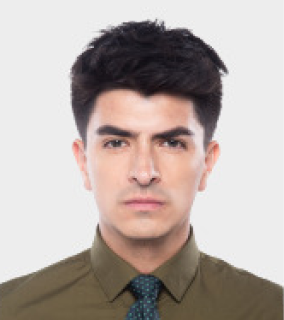
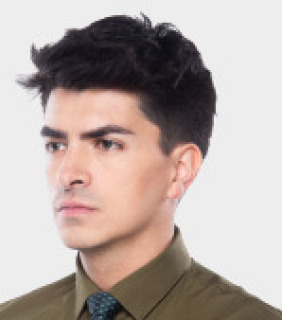
Point your face in front of the lens and maintain a neutral facial expression. No smiling.
Keep the
camera at face level and capture part of shoulders




All you need to do is face a light source, e.g. an open window. Don't worry about the background.
Amet minim mollit non deserunt ullamco est sit.
Consectetur adipiscing elit duis tristique sollicitudin nibh sit

What is DIY Passport Photo?

How can I be certain my Passport photo
will be accepted by Immigration NZ?
How do I take Passport Photos With My Smartphone?
How does your 100% refund policy work?
What kind of clothing should I wear in a Passport Photo?


Friendly to first time users. It only took several seconds to generate my passport photo. The photo was accepted without issues. Cheers!

Very convenient to DIY passport photo at home. It’s amazing how it can check all size and position requirements. It also shows detailed guidance if the photo is not qualified. By far the best passport photo tool I have ever used.

Just seconds to generate a qualified visa photo! Very useful and easy to use. Shout-out to this website! You are my go to app for ID photo.


Cropping the photo by size
